
Organized monthly financial records help businesses see where money comes from, where it goes, what remains unpaid, and which transactions still require review. Manual recordkeeping becomes harder when recurring expenses, invoices, bank activity, bills, and supporting documents accumulate across different places. An accounting Excel template can bring these records into a consistent structure and support repeatable monthly bookkeeping tasks. However, spreadsheet quality depends on accurate entries, reliable formulas, regular reconciliation, and careful maintenance. A structured workbook supports financial organization, but users still need to verify records and seek appropriate professional input when financial requirements become more complex.
What an Accounting Excel Template Does
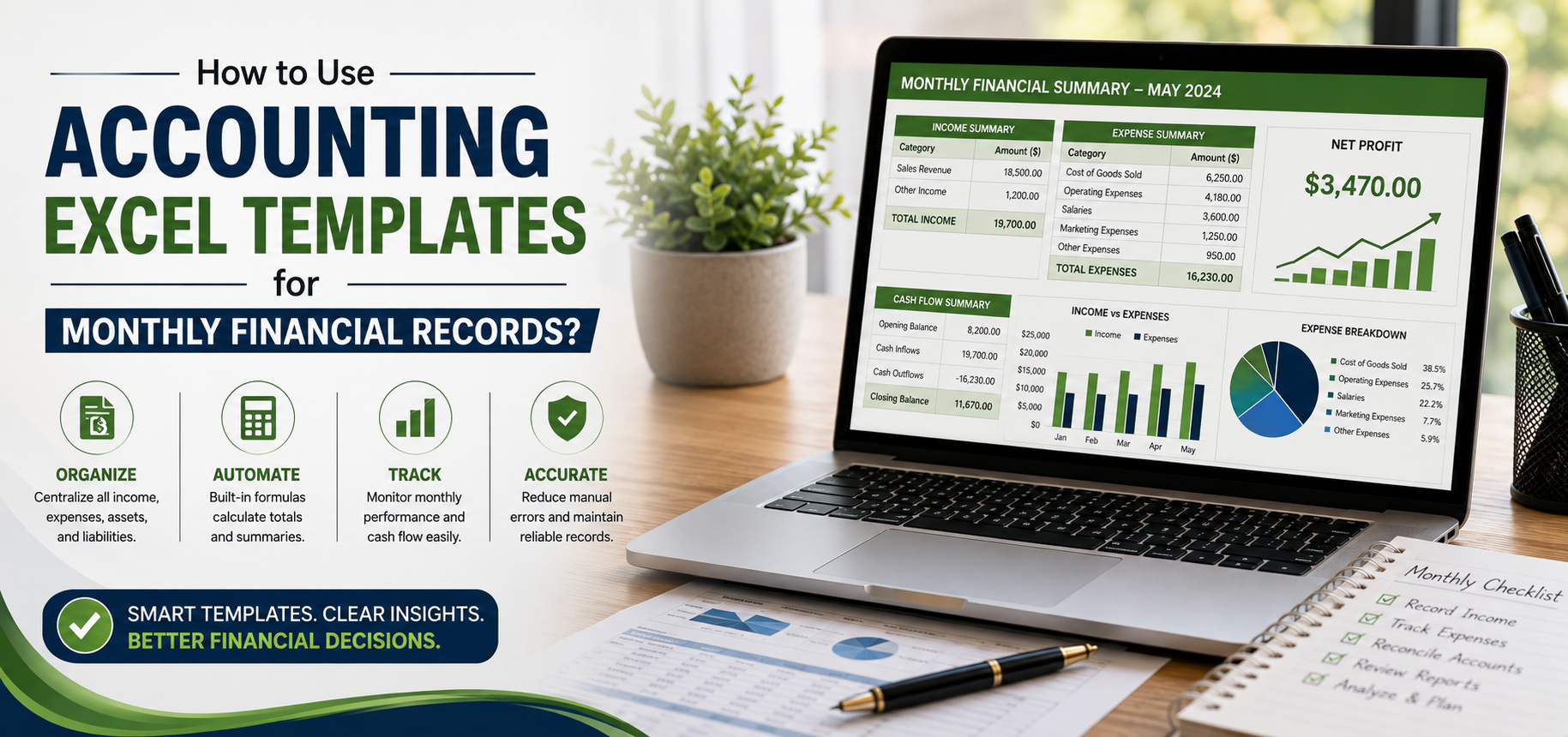
An accounting Excel template provides predefined worksheets, columns, formulas, categories, and summary areas for recording financial activity. Instead of designing a new bookkeeping structure every month, users can enter transactions into consistent fields and review calculated totals.
For straightforward financial records, this structure can support income, expenses, receivables, payables, cash balances, reconciliation, and monthly reporting. Moreover, consistent layouts make month-to-month comparisons easier.
Choose Fields That Support the Financial Workflow
Useful fields may include:
Transaction date and reference number
Description and transaction category
Customer, payer, vendor, or payee
Invoice or bill number
Amount and relevant tax amount
Payment method and financial account
Due date and payment status
Cleared and reconciliation status
Supporting document reference
Month and running balance
Notes for relevant financial context
Not every user needs every field. Therefore, a freelancer with simple monthly activity may use fewer columns than a business managing numerous invoices and supplier bills. Selecting relevant fields keeps data entry manageable while preserving information needed for review.
Create a Repeatable Monthly Recordkeeping Process
A dependable spreadsheet works best when users follow the same basic process each month. Consistency reduces the chance that transactions remain scattered among receipts, statements, invoices, and separate notes.
A practical workflow moves from collecting records to entering and categorizing transactions, reviewing receivables and payables, reconciling accounts, checking errors, summarizing results, closing the period, and preparing the next month.
Start by Collecting Financial Records
Before entering transactions, gather the records relevant to the month. These may include invoices, bills, receipts, payment confirmations, bank statements, credit card statements, purchase records, and refund information.
Supporting documents should remain organized separately when appropriate. Rather than placing sensitive documents inside ordinary spreadsheet cells, users can record document numbers, file references, or organized storage locations that connect entries with their source records.
Enter Transactions Consistently
Record transactions using a standard sequence of fields. For example, enter the transaction date, reference, description, category, amount, account, payment status, and supporting record reference.
Prompt entry improves visibility because the spreadsheet reflects more current activity. In contrast, entering several weeks of transactions from memory increases the risk of omissions, incorrect dates, and vague descriptions.
Record Income and Expenses Clearly
Income and expense tracking forms the foundation of many monthly bookkeeping spreadsheets. Consistent categories and transaction details make totals easier to review and reduce ambiguity when comparing periods.
However, spreadsheet categories serve organizational purposes and should not be treated as automatic determinations of tax treatment or financial reporting requirements.
Track Income with Appropriate Detail
Income records may include the date received, customer or payer, invoice or reference number, income category, gross amount, relevant tax fields, payment method, payment status, and concise notes.
Where the bookkeeping method requires the distinction, users should separate amounts invoiced from cash actually received. An invoice created during one month may remain unpaid until a later period, so treating both events as identical can distort cash tracking.
For example, an invoice may progress from Issued to Outstanding, Partially Paid, and finally Paid. Updating its status and outstanding balance preserves a clearer record of what remains collectible.
Keep Expense Categories Consistent
Expense entries commonly record the purchase date, vendor, category, description, amount, payment method, receipt reference, payment status, and relevant notes.
Consistent categories make monthly summaries more useful. If one transaction uses “Office Supplies,” another uses “Supplies,” and a third uses “Office,” spreadsheet reports may treat them as different categories.
Dropdown lists can reduce this inconsistency by limiting entries to approved category names. Nevertheless, users still need to select the category that accurately reflects their recordkeeping process.
Monitor Accounts Receivable and Payable
Monthly financial organization extends beyond transactions already paid. Receivables show amounts customers owe, while payables help users monitor bills and other recorded obligations awaiting payment.
Separate worksheets can keep these items visible without overcrowding the primary transaction register.
Track Outstanding Customer Invoices
An accounts receivable worksheet may contain:
Invoice date and number
Customer
Invoice amount
Due date
Amount received
Outstanding balance
Payment status
Follow-up date
Conditional formatting can highlight invoices whose due dates have passed while balances remain outstanding. Consequently, users can identify records requiring review without scanning every invoice manually.
The spreadsheet does not perform collection activity by itself. Users must still update payments, investigate discrepancies, and take appropriate follow-up actions.
Organize Bills and Payment Obligations
Accounts payable fields can include vendor, bill date, reference number, due date, amount, payment status, payment date, account used, and notes.
This structure makes upcoming obligations easier to review alongside available cash. However, delayed updates can create misleading information. A bill already paid but still marked unpaid, for instance, can overstate recorded obligations.
Use Cash Flow Records for Monthly Visibility
A cash flow worksheet can organize cash entering and leaving during the month. Users may compare opening cash, receipts, payments, expected inflows, outstanding payments, and closing cash.
This operational view can help users see timing differences between income activity and actual cash movement.
Separate Cash Movement from Other Measures
A business may record high invoiced income while still waiting for customers to pay. Similarly, an expense may be recorded before or after its related cash payment depending on the bookkeeping approach.
Therefore, users should avoid assuming that a simple cash flow worksheet represents every formal accounting requirement. It provides a structured operational view rather than automatically creating a formal cash flow statement under applicable accounting standards.
Use Excel Features to Improve Record Consistency
Spreadsheet functionality can reduce repetitive work and make monthly records easier to inspect. Tables, filters, validation, formulas, formatting, and protected cells provide practical controls when configured correctly.
The goal should remain simple: make financial entries consistent and make unusual or incomplete records easier to identify.
Standardize Entries with Data Validation
Dropdown lists and validation rules can control recurring fields such as:
Income and expense categories
Payment methods
Payment status
Account names
Reconciliation status
Month
Transaction type
Consistent labels improve sorting, filtering, and summary calculations. Additionally, validation can prevent some invalid entries.
Still, validation cannot confirm that a financial amount is factually correct. A user can enter the wrong amount while satisfying every spreadsheet rule.
Automate Repetitive Calculations Carefully
Prebuilt formulas can calculate monthly income, expenses, category totals, outstanding receivables, unpaid bills, cash balances, budget variances, and monthly net results.
Functions that total values based on one or several conditions can support category or period summaries without requiring manual addition. Lookup functions may also retrieve related information from another worksheet.
However, formula automation remains vulnerable to structural changes. Users can introduce errors by overwriting formulas, adding rows outside intended ranges, changing references, placing values in incorrect columns, or modifying worksheet layouts.
Protected formula cells may reduce accidental changes, but important calculations still deserve verification.
Reconcile Spreadsheet Records with Account Activity
Bank reconciliation compares recorded financial transactions with activity shown by a bank or payment account. The process helps users identify transactions that are missing, duplicated, incorrectly recorded, or not yet cleared.
Reconciliation works best as a regular monthly task rather than an occasional cleanup exercise.
Follow a Structured Reconciliation Routine
A practical reconciliation process can include:
Compare spreadsheet transactions with account activity.
Match deposits and incoming payments.
Match purchases and outgoing payments.
Record legitimate fees that were missing.
Confirm transfers between accounts.
Check duplicate transaction entries.
Review uncleared payments.
Investigate unexplained differences.
Update reconciliation statuses.
Confirm the resulting balance.
For example, a transaction may move from Recorded to Category Assigned, then Payment Status Updated, Bank Entry Matched, and Reconciliation Completed.
Reconciliation can expose discrepancies, but it does not guarantee that every accounting issue will become visible. Source records, classification decisions, and other financial information may still require separate review.
Build Useful Monthly Summaries
A monthly summary worksheet can combine selected information from transaction, receivable, payable, and cash records. This consolidated view helps users review financial activity without repeatedly filtering detailed transaction lists.
Useful summary indicators depend on the user's needs and bookkeeping structure.
Focus on Meaningful Monthly Measures
A summary may display:
Total recorded income
Total recorded expenses
Monthly net result
Outstanding receivables
Outstanding payables
Closing cash balance
Major expense categories
Budget variance
These figures can improve visibility, but a dashboard or summary sheet does not automatically constitute formal financial statements. Users should know what each metric represents and which source data feeds its calculation.
Compare Budgeted and Actual Results
Budget comparison places planned figures beside recorded results. Users can compare expected income with actual income, planned spending with actual expenses, and category budgets with recorded activity.
Variance calculations show the numerical difference between the two figures. However, the spreadsheet cannot automatically explain why a difference occurred.
Investigate Important Variances
A higher-than-planned expense may result from timing, pricing changes, an unusual purchase, an incorrect category, or a data-entry error. Therefore, users should investigate material differences rather than relying solely on colored indicators.
Similarly, lower-than-expected income may reflect delayed payments rather than reduced invoicing. Supporting details provide the context needed to interpret the summary.
Complete a Consistent Month-End Review
Month-end closing creates a clear stopping point for reviewing one period before routine recordkeeping moves into the next. A checklist helps users apply similar controls each month.
The process should identify unresolved items rather than forcing every record into an artificial completed status.
Check the Records Before Closing
A practical month-end review can confirm that:
Known income has been recorded.
Known expenses have been entered.
Open invoices have been reviewed.
Outstanding bills have been checked.
Account activity has been reconciled.
Duplicate records have been investigated.
Missing supporting documents have been identified.
Important formulas still work correctly.
Categories remain consistent.
Monthly totals have been reviewed.
Unresolved items contain useful notes.
An appropriate backup has been saved.
Consistent closing procedures improve continuity because users begin the next month with clearer information about outstanding balances and unresolved transactions.
Maintain Data Quality Throughout the Month
A polished workbook cannot compensate for unreliable data. Incorrect dates, duplicate transactions, missing payments, wrong categories, unrecorded fees, and outdated invoice statuses can all distort monthly results.
Data-quality controls work best when users apply them continuously rather than waiting until period end.
Reduce Common Recordkeeping Errors
Useful practices include checking duplicate reference numbers, reviewing blank required fields, reconciling accounts regularly, updating invoice statuses after payments, and keeping category names standardized.
Conditional formatting can also highlight overdue invoices, unpaid bills, negative balances, unreconciled transactions, missing categories, or amounts exceeding chosen review thresholds.
Visual alerts indicate conditions worth checking. They do not prove that an entry is incorrect.
Connect Entries with Supporting Documentation
Financial records become easier to verify when users can connect spreadsheet entries with relevant invoices, receipts, statements, bills, payment confirmations, and refund records.
A reference column can identify the related document number or organized file location without placing sensitive documentation directly inside the spreadsheet.
Use Clear Document References
Consistent references make later investigation easier. If a reconciled payment appears unusual, users can locate the supporting invoice or receipt without searching unrelated folders.
Document organization should follow applicable business requirements and internal policies. Moreover, users should avoid collecting information that their financial workflow does not genuinely require.
Evaluate Ready-Made Accounting Templates Carefully
A ready-made template can save setup time, but price does not establish accuracy. Users should evaluate whether the workbook supports their transaction volume, bookkeeping structure, monthly review process, and spreadsheet application.
People who intend to buy accounting excel templates online in usa should examine formula transparency, reconciliation fields, customization, compatibility, receivable and payable tracking, and month-end features rather than selecting a workbook based solely on appearance.
Inspect Functionality Before Regular Use
Useful evaluation criteria include:
Clear worksheet organization
Appropriate income and expense fields
Consistent categorization options
Receivable and payable tracking
Reconciliation fields
Transparent formulas
Protected calculation cells
Data validation
Monthly summaries
Flexible customization
Clear instructions
Software compatibility
Practical scalability
Separation of inputs and calculations
Enter sample transactions before relying on the workbook. Additionally, test important formulas again after changing categories, inserting columns, adding worksheets, or making other structural modifications.
Simple Versus Feature-Rich Templates
A simple accounting spreadsheet may suit users with limited transactions, straightforward income and expenses, one primary user, and minimal reporting needs. Extra functionality can create unnecessary maintenance when the financial process remains uncomplicated.
In contrast, a feature-rich workbook may support users who need receivables, payables, budget comparisons, reconciliation fields, dashboards, or multiple transaction categories.
Choose Complexity for a Reason
More formulas and worksheets do not automatically improve record quality. Every added feature creates another area that users must maintain and verify.
Accordingly, the most suitable template provides enough structure for the financial workflow without making routine monthly entry difficult.
Know When Excel May No Longer Be Enough
Excel can work well for smaller transaction volumes, individual users, straightforward records, and flexible manual review. It allows users to create a bookkeeping structure that matches relatively simple financial processes.
However, growing operations may require capabilities that manually maintained spreadsheets handle less efficiently.
Recognize the Need for More Advanced Systems
Dedicated accounting systems may become more appropriate when users require large transaction volumes, automated bank feeds, multi-user access, integrated invoicing, payroll connections, advanced permissions, detailed audit trails, complex account structures, formal reporting, or extensive integrations.
The choice depends on operational and accounting requirements. A spreadsheet can support recordkeeping without needing to replace specialized accounting systems.
Control Files and Sensitive Financial Information
Multiple uncontrolled spreadsheet copies can create conflicting records. Therefore, users should maintain a controlled master file, use clear month and year naming, limit editing access, protect formulas, maintain backups, and record revisions where useful.
Assigning responsibility for updates also reduces uncertainty about who maintains the current record.
Use Responsible Access Practices
Financial spreadsheets may contain business and personal information that deserves appropriate protection. Access should remain limited to people who genuinely need the records.
Users should also manage shared copies carefully, remove outdated access, maintain suitable backups, and avoid storing unnecessary sensitive data. Organizational policies and applicable requirements should shape record handling.
Avoid Common Accounting Spreadsheet Mistakes
Many spreadsheet problems arise from inconsistent processes rather than spreadsheet limitations alone. Late entries, unclear categories, unreconciled accounts, overwritten formulas, and missing documentation can weaken monthly records.
Structured templates can reduce some risks, but users still need disciplined maintenance.
Watch for Problems That Distort Monthly Records
Common mistakes include:
Mixing unrelated personal and business transactions
Entering transactions long after they occur
Using inconsistent categories
Recording transactions twice
Forgetting account fees
Ignoring outstanding invoices
Missing unpaid bills
Overwriting formulas
Skipping reconciliation
Maintaining uncontrolled workbook copies
Closing periods with unexplained differences
Users can reduce these problems through timely entry, controlled categories, regular reconciliation, formula protection, duplicate checks, and a consistent month-end routine.
Conclusion
Accounting Excel templates can support monthly financial organization by structuring income, expenses, receivables, payables, cash activity, reconciliation, and summaries. Their effectiveness depends on accurate entries, consistent categories, reliable formulas, responsible file management, and regular review. Reconciliation remains especially important because calculated totals should connect with actual account activity and supporting records. Excel can serve straightforward recordkeeping needs, but it does not automatically create accurate books, satisfy every reporting requirement, or replace appropriate professional input. Consistent monthly maintenance ultimately determines how useful the spreadsheet remains.
FAQs
Can Excel Be Used for Monthly Accounting Records?
Yes. Excel can support straightforward monthly financial records by organizing transactions, income, expenses, receivables, payables, cash activity, and reconciliation information. Structured worksheets and formulas can reduce repetitive work. However, users must maintain accurate entries, verify calculations, and determine whether their accounting requirements need a more specialized system.
How Should Income and Expenses Be Tracked Monthly?
Record each transaction with a date, description, category, amount, account, payment information, and relevant reference. Use consistent income and expense categories across periods. Additionally, connect entries with supporting records where appropriate. Monthly totals become more useful when users record transactions promptly and investigate missing or unusual amounts.
Why Is Bank Reconciliation Important in Excel?
Bank reconciliation compares spreadsheet entries with actual account activity. It can reveal missing transactions, duplicates, fees, uncleared payments, transfer differences, or incorrect amounts. Users should investigate unexplained differences and mark matched records consistently. Reconciliation improves record reliability, although it cannot identify every possible classification or accounting issue.
Can Excel Track Outstanding Customer Invoices?
Yes. A receivables worksheet can record invoice numbers, customers, invoice dates, due dates, original amounts, payments, outstanding balances, and statuses. Conditional formatting can make overdue balances more visible. However, users still need to record payments promptly, verify balances, and perform any necessary customer follow-up outside the spreadsheet.
How Can Excel Help Track Accounts Payable?
A payable worksheet can organize vendor names, bill references, amounts, due dates, payment statuses, payment dates, and accounts used. This structure makes upcoming obligations easier to review. Nevertheless, accurate payable tracking requires timely updates because outdated statuses may make already-paid bills appear outstanding or omit newly received obligations.
What Should a Monthly Financial Summary Include?
A useful summary may include recorded income, expenses, monthly net results, outstanding receivables, outstanding payables, closing cash, major expense categories, and budget variances. The appropriate measures depend on the user's financial workflow. A spreadsheet summary supports internal review but does not automatically qualify as formal financial reporting.
Are Prebuilt Accounting Formulas Always Accurate?
No. Prebuilt formulas can reduce repetitive calculations when their ranges, references, conditions, and source data are correct. However, users can create errors by overwriting cells, modifying worksheet structures, inserting data outside calculation ranges, or entering values incorrectly. Important formulas should therefore be tested before regular reliance and after structural changes.
How Should Financial Spreadsheets Be Protected?
Users can restrict access, protect important formula cells, control shared copies, maintain appropriate backups, and remove access when it is no longer required. They should also avoid storing unnecessary sensitive information. File protection supports responsible record management, but users still need appropriate account security and internal access practices.
When Is Accounting Software More Suitable Than Excel?
More advanced accounting systems may fit better when users need high transaction volumes, automated bank connections, multi-user access, integrated invoicing, payroll connections, detailed permissions, audit trails, complex account structures, or formal reporting capabilities. Excel can remain practical when monthly records are relatively straightforward and manual review remains manageable.
What Should Users Check Before Choosing an Accounting Template?
Users should examine worksheet structure, transaction fields, categories, receivable and payable tracking, reconciliation features, formulas, validation, monthly summaries, customization, compatibility, and instructions. They should also test sample transactions before regular use. A paid template is not automatically more accurate or suitable simply because it includes additional features.